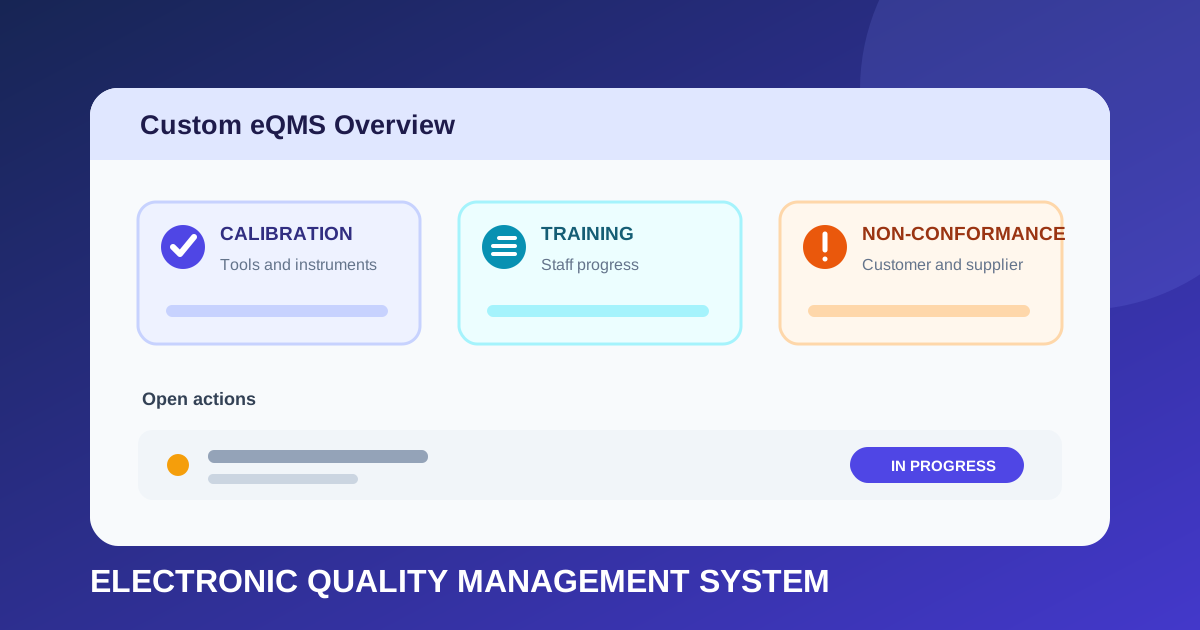
Designing a Custom eQMS for Calibration, Training and Non-Conformances
How I translated real quality-management processes into a database-backed system for deadlines, ownership, evidence, overdue actions, and reporting.
- Type
- Internal business system
- Data
- Database-backed workflows
- Focus
- Quality process visibility
- 3
- Quality workflows
- Shared
- Accountability model
- Actionable
- Reporting
Calibration, training, and non-conformances
Owners, deadlines, status, and actions
Due-soon and overdue work queues
On this page
Quality-management work is rarely a single checklist. A calibration record has a deadline, a training requirement has an affected member of staff, and a non-conformance can pass through several people before it is resolved. When those processes are spread across separate files, it becomes difficult to see what is current, what is overdue, and who needs to act next.
I designed and developed a custom electronic Quality Management System (eQMS) around the company's own processes. It brings tool and instrument calibration, staff training, and customer or supplier non-conformances into one database-backed application.
Why a custom eQMS?#
Quality systems need to reflect how an organisation assigns work, records evidence, reviews progress, and decides that an activity is complete. A generic list can store a title and date, but it does not automatically answer questions such as:
- Which instruments are due for calibration soon?
- Which staff have not completed required training?
- Who owns an open customer or supplier non-conformance?
- What stage has an investigation reached?
- Which actions are overdue?
- What evidence supports completion?
- Can management see the current position without combining several spreadsheets?
The aim was to create a shared operational view rather than three isolated record stores.
Starting with business analysis#
Before designing tables or screens, each process had to be translated into its real states, responsibilities, and exceptions. I looked for the concepts that occurred repeatedly:
| Business question | Information the system needs |
|---|---|
| What is the record about? | Tool, instrument, training requirement, customer, supplier, or issue details |
| Who is responsible? | Assigned owner and relevant staff |
| When does it need attention? | Due date, review date, calibration interval, or target completion |
| Where is it in the process? | Controlled workflow status |
| What still needs doing? | Open actions and their individual owners |
| How do we know it is complete? | Completion details and supporting evidence |
| What requires escalation? | Due-soon and overdue calculations |
This analysis prevents the interface from becoming a digital copy of a paper form. The system can instead use the data to guide work, highlight risk, and produce reporting.
A shared model for different workflows#
Calibration, training, and non-conformances contain different domain information, but they also share accountability concepts. Designing these deliberately made the application more consistent.
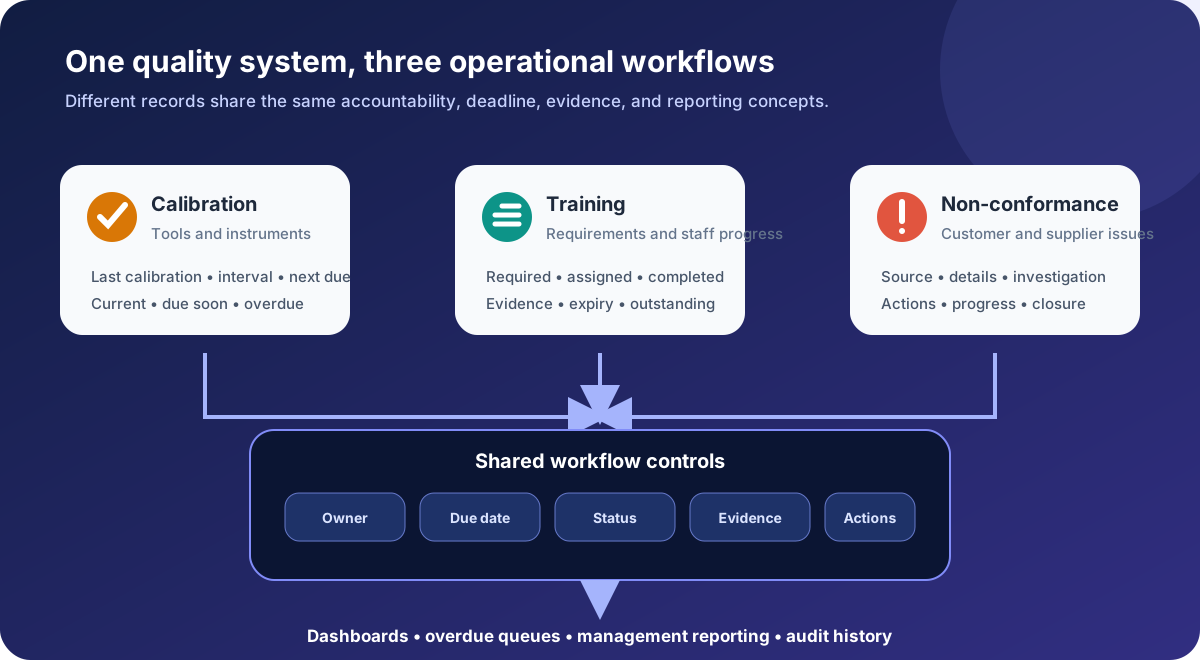
The shared concepts allow reporting to answer a broad question such as "what is overdue?" while still preserving the specialist details required by each quality process.
Calibration management#
The calibration area tracks the status of tools and instruments that need periodic attention. The central requirement is not merely storing the most recent calibration date; it is turning that history and the required interval into a reliable next action.
A calibration record needs to connect:
- the individual tool or instrument;
- its identifying and descriptive information;
- the previous calibration event;
- the required interval or next due date;
- the resulting status;
- any evidence or certificate reference; and
- the people responsible for arranging and confirming the work.
| Status view | Operational meaning |
|---|---|
| Current | No immediate action is required |
| Due soon | The next calibration should be planned |
| Overdue | The deadline has passed and requires attention |
| In progress | Calibration activity has started but is not complete |
| Unavailable or inactive | The item should not appear as normally available |
These statuses should be derived from controlled dates and workflow decisions wherever possible. Manually typing "overdue" into a text field would make reporting inconsistent and allow the status to disagree with the due date.
Staff training progress#
Training is a many-to-many problem. One course or procedure may apply to several people, while each member of staff may have multiple requirements at different stages.
The data model therefore needs to distinguish between:
- the definition of a training requirement;
- the people to whom it applies;
- an individual assignment;
- progress or completion for that assignment;
- evidence of completion; and
- any expiry or retraining date.
Separating the requirement from each person's progress avoids duplicating course information and makes it possible to report both ways: all staff missing a particular requirement, or all outstanding training for one person.
Customer and supplier non-conformances#
Non-conformances are workflows rather than static incident records. Recording the original issue is only the beginning; the system must also show what is being done and whether the response has reached closure.
The workflow captures the distinction between:
- whether the source is a customer or supplier;
- the issue and relevant context;
- the person currently responsible;
- investigation and progress status;
- open follow-up actions;
- target dates and overdue actions; and
- completion or closure information.
| Workflow stage | Question it answers |
|---|---|
| Logged | Has the issue been captured consistently? |
| Assigned | Does somebody clearly own the next step? |
| In progress | Is investigation or follow-up activity underway? |
| Awaiting input | Is progress dependent on another person or organisation? |
| Ready for review | Have the actions been completed and presented for checking? |
| Closed | Has the organisation accepted that the workflow is complete? |
The exact names should match the organisation's approved process. The important design principle is that state changes are controlled and meaningful, rather than being hidden in free-text notes.
Ownership and action tracking#
A record can have an overall owner while containing actions assigned to other people. Treating these as the same concept would make responsibility unclear.
The application therefore benefits from two levels of accountability:
- Record ownership: who is responsible for progressing the calibration, training assignment, or non-conformance as a whole.
- Action ownership: who must complete a specific task within that workflow.
Each action can carry its own due date and status. This allows an otherwise active record to show that one of its dependencies is overdue, rather than waiting until the whole record misses its final target.
Reporting and overdue work#
The system turns stored dates and statuses into queues that staff can act on. Useful reporting views include:
- calibrations due within a selected period;
- currently overdue instruments;
- training progress by person or requirement;
- incomplete and expired training;
- open customer and supplier non-conformances;
- actions grouped by owner;
- records waiting at each workflow stage; and
- overdue activity across all three modules.
Reporting should use the same source records as the operational screens. Maintaining separate reporting spreadsheets would reintroduce the inconsistency that the application is intended to remove.
Database design#
The conceptual model separates stable reference data from events and workflow history.
| Entity group | Example purpose |
|---|---|
| Assets and instruments | Identify what requires calibration |
| Calibration events | Preserve individual calibration history |
| Training requirements | Define what training exists and who needs it |
| Staff training assignments | Track each person's progress and evidence |
| Organisations and contacts | Identify the customer or supplier involved |
| Non-conformance records | Hold the issue and overall workflow |
| Actions | Track the individual tasks, owners, and deadlines |
| Status history | Record how a workflow changed over time |
| Attachments or evidence | Link supporting information without duplicating records |
Several database rules are particularly valuable:
- use identifiers rather than names to link records;
- keep controlled statuses separate from free-text commentary;
- preserve historical events instead of overwriting the latest date;
- validate required relationships at the database or service boundary;
- derive due and overdue views consistently; and
- retain enough history to explain how a record reached its current state.
This supports both day-to-day use and later audit or management questions.
Designing for trustworthy data#
An eQMS only improves a process if staff trust the information inside it. That depends on more than technically valid tables.
The interface should make required fields clear, constrain status changes where appropriate, and show the current owner prominently. It should also distinguish between:
- no activity being required;
- activity not yet recorded;
- work genuinely completed; and
- data that is incomplete or overdue.
Empty values must not silently look like successful completion.
What the project demonstrates#
The database is an important part of the solution, but the project also demonstrates business analysis:
- interviewing or observing how work is currently completed;
- identifying shared concepts across different departments;
- resolving ambiguous ownership and status rules;
- converting deadlines into actionable views;
- deciding which data needs history rather than only a current value; and
- designing reporting around decisions people actually need to make.
The quality of the software depends on the quality of that translation.
What I would improve next#
The strongest next steps would be based on real operational use:
- measure overdue activity before and after adoption;
- identify workflow stages where records remain longest;
- add configurable reminders and escalation rules;
- expand role-based permissions around sensitive actions;
- provide clearer audit-history comparisons;
- test exports against management and audit reporting needs; and
- review terminology and status rules whenever the underlying process changes.
Lessons learned#
Shared concepts should not erase domain detail#
All three modules use owners, dates, actions, and statuses, but calibration is not the same as training or a non-conformance. A good model reuses common workflow behaviour while preserving the information unique to each process.
Overdue is a calculation, not a description#
Dates, current state, and any approved exceptions should determine whether something is overdue. This produces consistent queues and reporting.
Business analysis shapes the database#
The most consequential modelling decisions came from understanding who acts, when they act, and what proves completion. Table design followed those operational questions.
Conclusion#
The custom eQMS brings calibration, training, and non-conformance workflows into one accountable system. By connecting specialist records to shared ownership, deadlines, actions, evidence, and reporting, it gives staff a clearer view of what is complete, what is approaching its deadline, and what needs attention now.