Building a Secure AI Order Tracker for an Existing WordPress Site
How I embedded an OpenAI-powered order assistant into heaps.co.uk while keeping customer data behind a scoped custom WordPress integration.
- Context
- Commercial website integration
- Delivery
- Embedded WordPress assistant
- Focus
- Secure customer-scoped access
- Embedded
- Customer journey
- Scoped
- Order data
- OpenAI
- Conversation layer
Works inside the existing website
Restricted to the verified customer
Natural-language order questions
On this page
The brief sounded simple: let customers ask for an update on their order without leaving the company website. The difficult part was not producing a conversational reply. It was connecting that experience to real order information without allowing one customer to see another customer's records or exposing internal data.
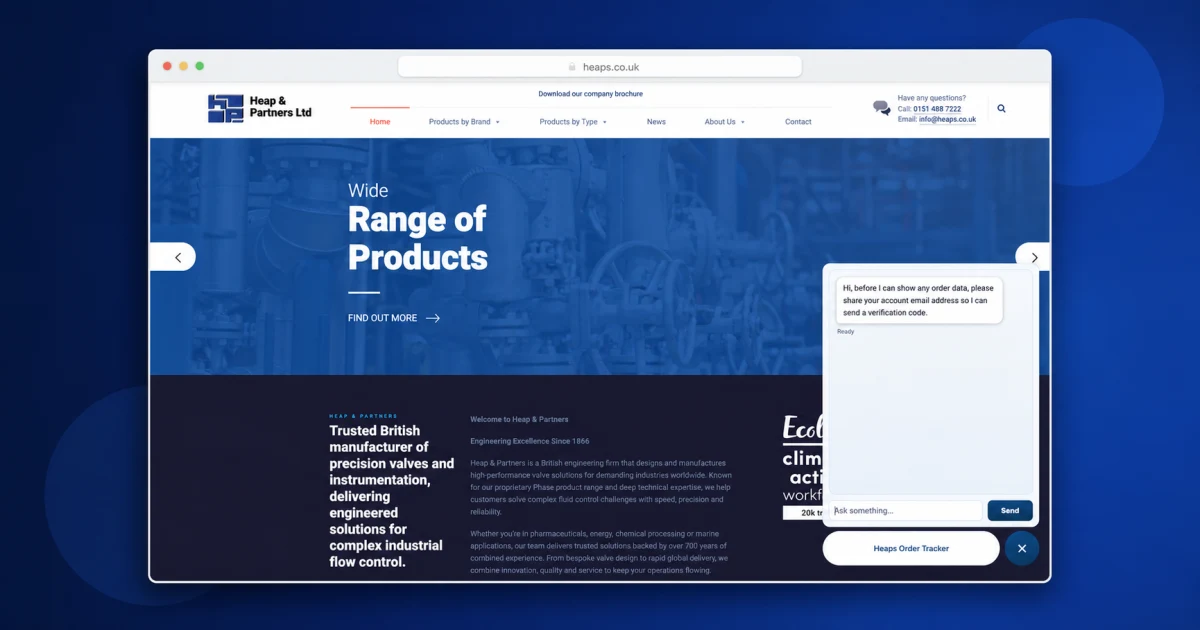
I built the result as a compact assistant embedded in the bottom-right corner of the existing heaps.co.uk website. The OpenAI API handles the conversational experience, while a custom WordPress plugin provides the controlled connection to customer order data.
The problem#
Customers often want a quick answer to a narrow question: where is my order? A traditional account portal could provide that information, but adding a new portal would introduce a larger interface, more navigation, and a separate implementation to maintain.
The tracker instead needed to work inside the existing site and meet four requirements:
- feel like part of the current customer journey;
- understand normal questions rather than require a rigid form;
- retrieve useful order progress from existing business data; and
- restrict every result to the verified customer's own records.
This made the project as much an integration and access-control problem as an AI project.
Separating conversation from data access#
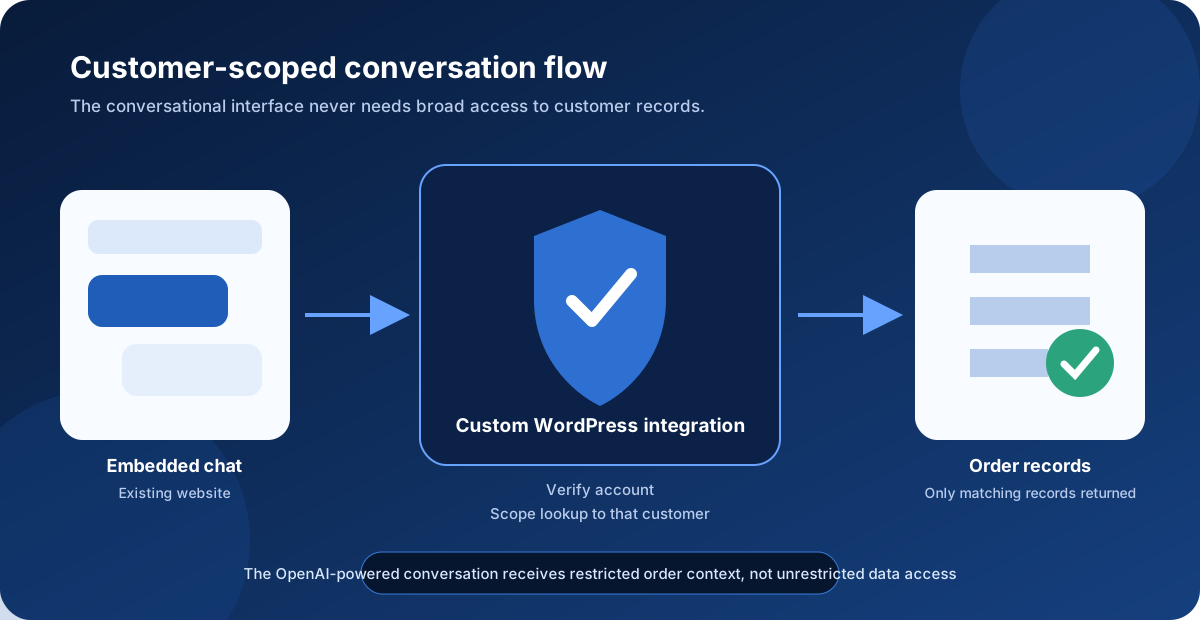
The system is divided into responsibilities rather than allowing the chat component to reach directly into a broad customer dataset.
| Layer | Responsibility | Trust boundary |
|---|---|---|
| Embedded website interface | Collect the question and display a useful response | Treat all browser input as untrusted |
| OpenAI-powered conversation | Interpret intent and express the order update clearly | Does not decide which records the customer owns |
| Custom WordPress plugin | Coordinate verification, validation, and order lookup | Enforces the customer scope before returning data |
| Order data | Supply the matching customer's progress information | Never exposed as an unrestricted dataset |
This separation reduces the amount of data involved in each conversation. It also makes the critical security rule independent of how a customer phrases a question.
Designing the customer journey#
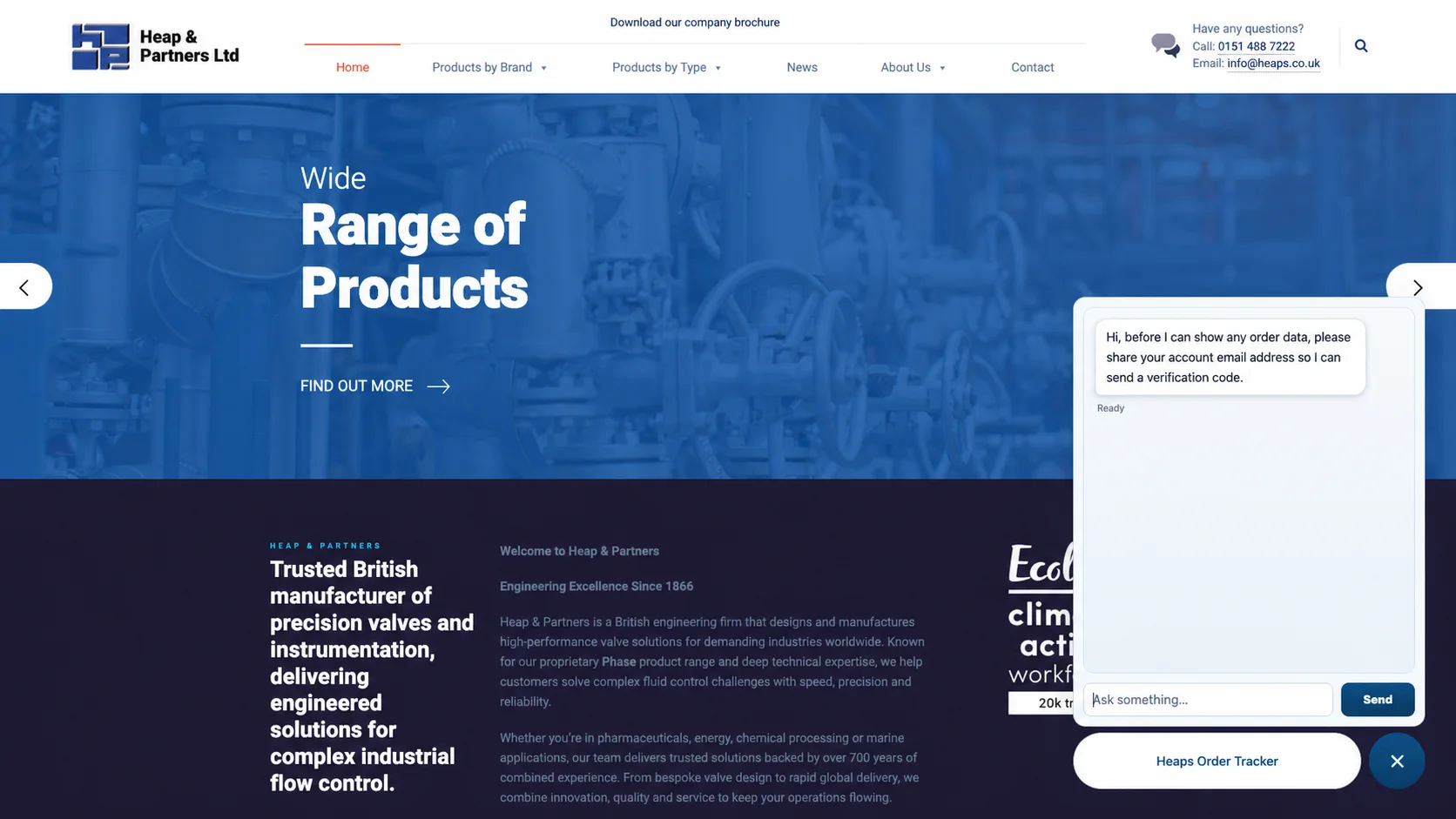
The assistant is available from a persistent control in the bottom-right corner of the existing page. Opening it reveals the conversation without sending the customer to a different system.
Before displaying order information, the interface asks for the account email address so that a verification step can be completed. Once the account has been verified, the tracker can answer questions using the order records associated with that customer.
Embedding the tool created several practical interface constraints:
- it had to remain noticeable without obscuring the main website;
- its closed and open states needed to be obvious;
- it needed enough space for verification and order replies;
- it could not assume a large desktop screen; and
- failure messages had to remain useful without revealing whether unrelated records existed.
The role of the OpenAI API#
The OpenAI API makes the tracker easier to use because customers do not need to learn a fixed command or locate the correct field in a large portal. They can ask a normal question and receive a concise answer based on the permitted order context.
The model is deliberately bounded. The application controls the available context and the actions around it. This avoids treating generated text as proof of identity or permission.
| The AI layer is useful for | The application must control |
|---|---|
| Recognising an order-progress question | Whether the customer is verified |
| Handling variations in wording | Which customer account is in scope |
| Turning structured status into a readable reply | Which order records can be retrieved |
| Asking for missing information conversationally | Validation, errors, rate limits, and logging |
That distinction is important for any commercial AI integration. A convincing answer is not automatically a permitted or correct answer.
Building the custom WordPress integration#
The custom plugin provides a narrow application boundary between the public website and the relevant customer data. Its purpose is not simply to make data available; it is to make only the correct data available under the correct conditions.
At a high level, the integration:
- receives a structured request from the tracker;
- validates the request and current verification state;
- binds the lookup to the verified customer;
- retrieves only the matching order information;
- returns a limited response suitable for the conversation; and
- handles unavailable or ambiguous results without exposing unrelated details.
Keeping this logic in a purpose-built plugin made it possible to work with the existing WordPress site while retaining a clear boundary around customer information.
Security and privacy considerations#
The most important scenarios are the ones where the request should not succeed. The design therefore has to account for more than the happy path.
| Scenario to test | Safe expected behaviour |
|---|---|
| Correct account, matching orders | Return only that customer's permitted status information |
| Unverified visitor | Do not disclose order data |
| Attempt to request another customer's order | Reject the request regardless of how it is phrased |
| Valid customer with no matching order | Give a neutral, helpful response without leaking other records |
| Invalid or expired verification state | Require verification again |
| OpenAI or data service unavailable | Fail clearly without bypassing access checks |
Detailed internal security controls are intentionally not described here. The transferable lesson is that authorisation belongs at the data boundary and must be applied on every relevant request.
Integrating with an existing website#
Adding a self-contained popup reduced disruption to the main site, but it also meant the tracker had to coexist with an established layout and visual identity. The implementation had to consider stacking order, responsive positioning, keyboard focus, close controls, and how much of the underlying page remained visible.
This is a useful pattern for incremental modernisation: a focused feature can be introduced without rewriting the surrounding website, provided its integration points and ownership are kept clear.
What I would validate next#
Because the value of the tracker depends on both usability and trust, the next useful measurements would be:
- successful verification rate;
- percentage of order questions resolved without staff intervention;
- average time from opening the tracker to receiving an answer;
- common reasons a customer cannot find an order; and
- requests rejected by validation or access-control rules.
Those figures would show whether the system reduces customer effort while keeping the security boundary effective.
Lessons learned#
AI works best behind a narrow interface#
The OpenAI API improves the conversation, but the custom integration defines what the conversation is allowed to know. Keeping those responsibilities separate makes the system easier to reason about and test.
Existing platforms can be extended safely#
WordPress did not need to become the AI system. A focused plugin created the controlled bridge between the existing site, customer records, and a new conversational interface.
Access control must survive unusual wording#
Natural language is flexible by design. Permission checks therefore cannot depend on keywords, prompt instructions, or the apparent intent of a message. The verified account scope remains authoritative.
Conclusion#
The order tracker combines a familiar website popup, an OpenAI-powered conversation, and a custom WordPress integration. Its most important feature is not that it can discuss an order; it is that the application limits the conversation to the verified customer's own information.